Serial Data Collector
Unlock data from your serial-based devices and sensors with Machinechat JEDI's Serial Data Collector. Effortlessly integrate legacy equipment, custom sensor arrays, and development boards sending comma-separated values (CSV) over RS232, RS485, 4-20mA, or USB serial interfaces.
Real-World Applications
-
Industrial Automation: Collect data from PLCs, flow meters, temperature controllers, and other serial-based industrial equipment.
-
Environmental Monitoring: Capture real-time measurements from Arduino-based sensor networks or USB-connected data loggers.
-
Development Prototyping: Stream sensor readings from your development boards to visualize data, prototype dashboards, and trigger actions during testing
How It Works
- Establish Serial Connection: JEDI establishes a connection with your serial device.
- Data Reception: JEDI receives data in CSV format (e.g., "temperature,25.5,humidity,68").
- Data Parsing: Based on your configuration, JEDI extracts individual metrics from the CSV data.
- Data Availability: Metrics become immediately available for dashboards, visualizations, rules, and automation within JEDI.
Configuration
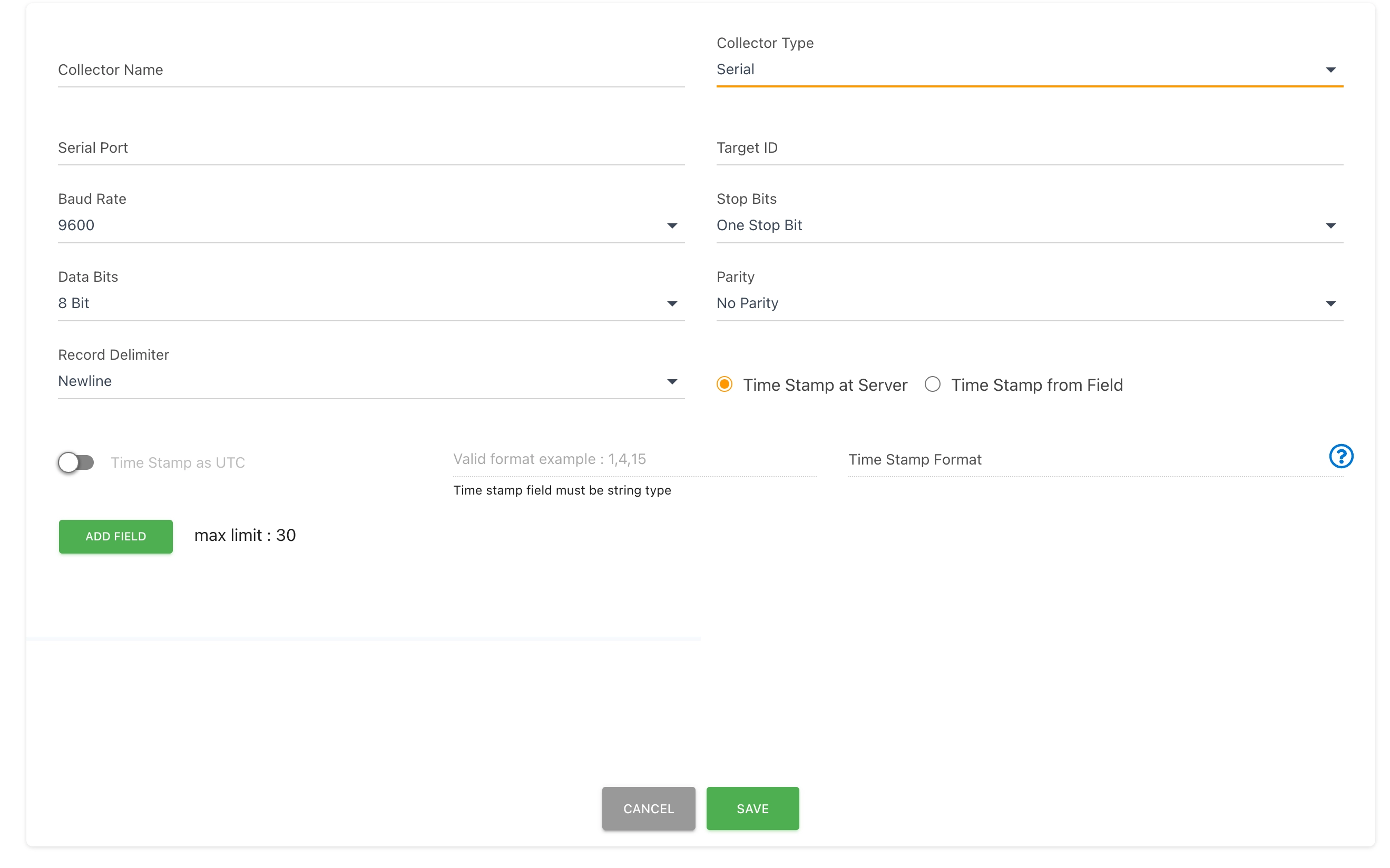
- Navigate to
Settings->Data Collectorsin the JEDI web interface. - Click the
ADD CONNECTORbutton to create a new data collector. - Select "Serial" as the Collector Type.
- Configure the Following:
- Collector Name: A meaningful name for your data collector.
- Port: Select the serial port (e.g., /dev/ttyUSB0 on Linux, COM1 on Windows).
- Tip: Use the "CU" interface if both "CU" and "TTY" options exist.
- Baud Rate, Parity, Stop Bits, Data Bits: Match these settings to your serial device's configuration.
- Data Format:
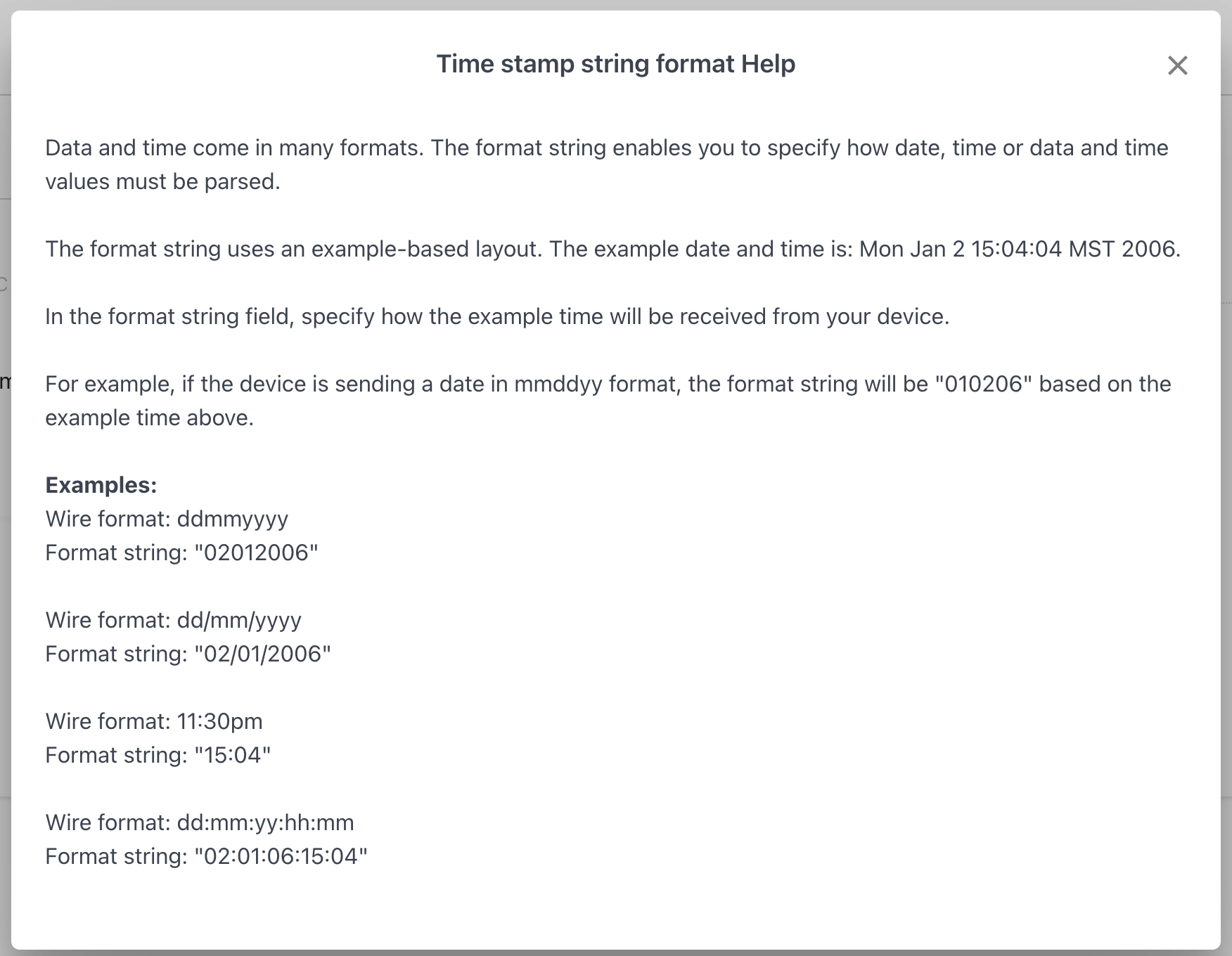
- Delimiter: The character marking the end of each CSV record (e.g., newline \n).

- Fields:

    - Name: The metric name.
    - Type: Select "number," "string," or "bool."
    - Target ID (Optional): Designate a field to uniquely identify the device.
    - Timestamp (Optional): Specify a field containing an ISO 8601-formatted timestamp.
Troubleshooting
-
Device Not Found: Ensure your device is plugged in and has the correct drivers.
-
Debug Mode: Enable the "Debug" option in the collector settings for detailed logs (found in JEDI's debug subdirectory).
Example: Arduino Sensor Monitoring
Assuming an Arduino sketch sending data like
"temp,27.2,humidity,65" over USB serial:
-
Configure the Serial Data Collector:
- Port: Select the Arduino's port.
- Baud rate: Match the Arduino's sketch.
- Data Format:
- Delimiter: \n
- Fields:
- temp: number
- humidity: number
-
Start Visualizing: Create charts and dashboards in JEDI to monitor your sensor readings in real time!
Expand your IoT capabilities with the Serial Data Collector!
Need help? Contact our support team: support@machinechat.io