TCP-CSV Data Collector
The TCP-CSV Data Collector simplifies integrating legacy equipment and device servers into your Machinechat JEDI IoT system. It seamlessly parses incoming comma-separated values (CSV) data streams over TCP connections, making the data instantly available for visualization, analysis, and automation.
Use Cases & Benefits
-
Legacy Equipment Modernization: Bridge the data gap between older serial-based machines and your IoT infrastructure. Collect data from sensors or devices lacking modern communication protocols.
-
Device Server Integration: Effortlessly connect with device servers that convert serial data into TCP/CSV format. This is common for industrial equipment, PLCs, or specialized sensors.
-
Streamlined Data Parsing: Eliminate the need for complex, manual CSV parsing. JEDI extracts the metrics you need, ready for use.
How It Works
-
TCP Server: JEDI's TCP-CSV Data Collector acts as a TCP server, listening on a specified port for incoming connections.
-
CSV Data Reception: The collector expects a CSV format.
Example: "Engine3,3500,50\n"
-
Data Format Configuration: You provide a "Data Format String" that defines the structure of the CSV. Example:
- Data Extraction: JEDI automatically parses the CSV according to your Data Format String, creating individual data sources and metrics.
Configuration
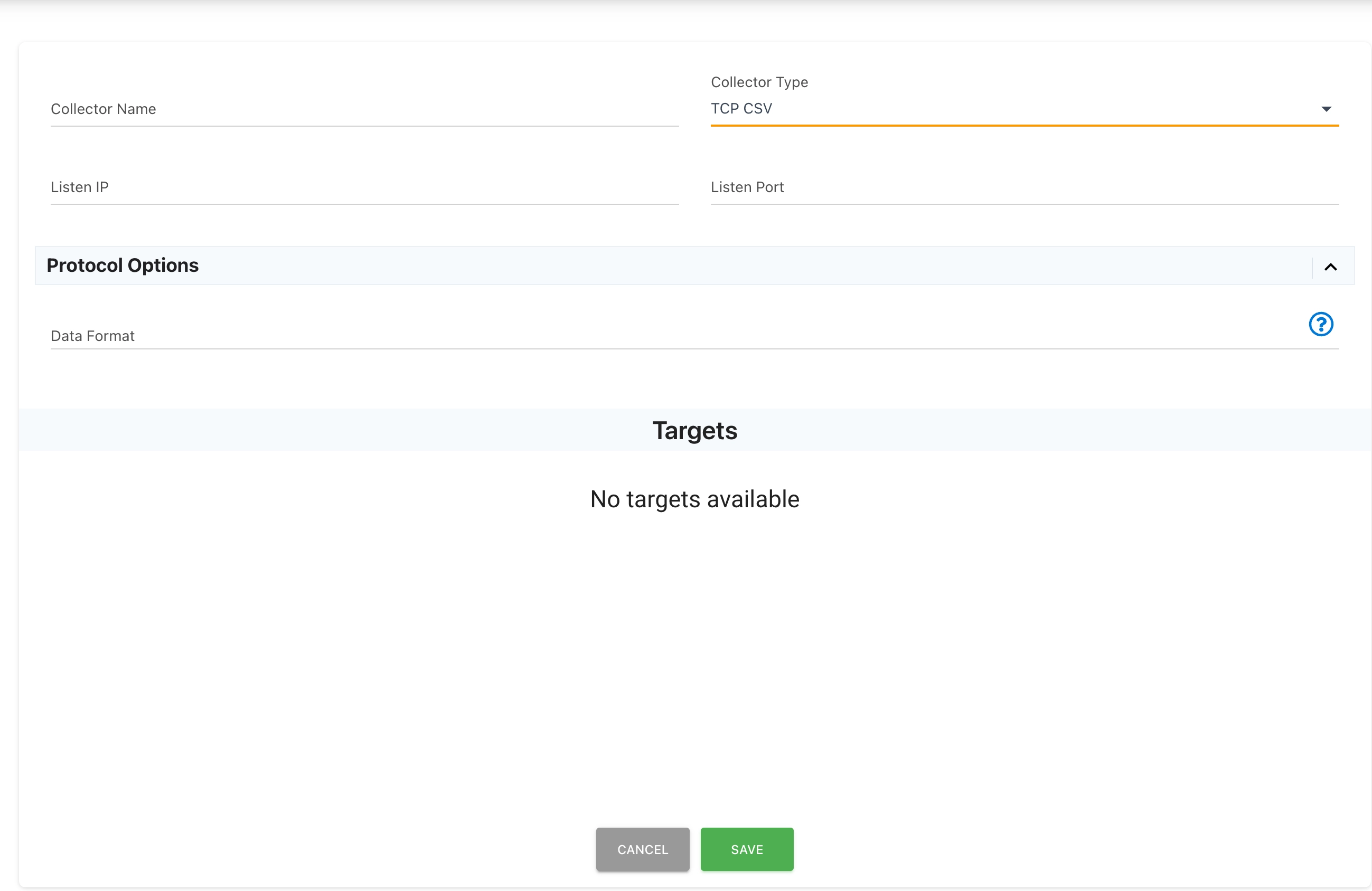
- Navigate to
Settings -> Data Collectorsin the JEDI web interface. -
Click the
ADD COLLECTORbutton to create a new data collector. -
Select "TCP-CSV" as the Collector Type.
- Configure the Following Fields:
- Collector Name: A unique name to identify this collector.
- Listen IP: The IP address on which to listen for incoming data.
- Listen Port: The TCP port number for the collector.
- Data Format String: (See detailed explanation below)
Data Format String Explained
The Data Format String is crucial for correctly interpreting the CSV data. It uses the following syntax:
- n:
: Assigns a name to a CSV field. - n:TARGETID: Designates a particular field as the unique device identifier.
- ty:
: Assigns a data type: - ty:number
- ty:string
- ty:bool (values should be "true" or "false")
- ty:timestamp (values should be in ISO8601 format)
Example
Let's analyze the following incoming data and Data Format String:
- Incoming Data: "Engine3,3500,50\n"
- Data Format String: n:TARGETID;ty:string,n:RPM;ty:number,n:Pressure;ty:number
This configuration tells JEDI:
-
The first field (Engine3) is a string and represents the device ID.
-
The second field (3500) is a number representing the RPM value.
-
The third field (50) is a number representing the Oil Pressure value.
Testing (in lieu of a device server)
import socket

TCP_IP = '192.168.1.6'  # JEDI's IP address
TCP_PORT = 9001  # JEDI's listening port
MESSAGE = 'Engine3,3500,50\n'.encode("ascii")

s = socket.socket(socket.AF_INET, socket.SOCK_STREAM)
s.connect_ex((TCP_IP, TCP_PORT))
s.send(MESSAGE)
s.close()
Need help? Contact our support team: support@machinechat.io