Mastering Data Storage Management in JEDI
JEDI's Data Storage Management gives you full control over your IoT data, whether you're logging high-frequency sensor data or maintaining long-term historical records. With intuitive controls and configurable policies, you can decide exactly which data to log, retain, and optimize without compromising insight.
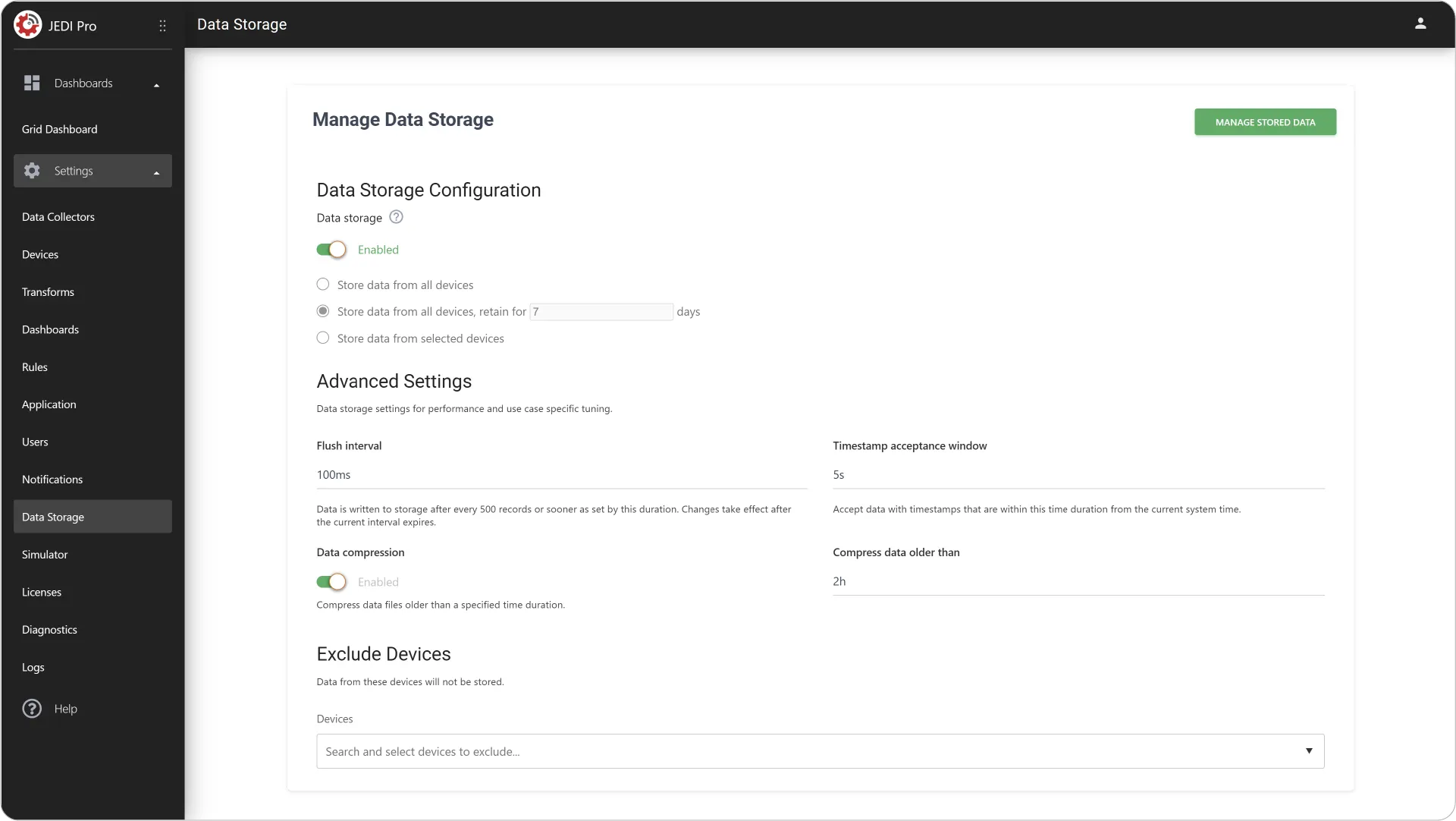
Utilizing Data Storage Management Effectively
Balance performance, storage limits, and accessibility with JEDI’s Data Storage Management so you can focus on meaningful insights.
Manage Stored Data
Click Manage Stored Data at the top right corner to quickly clean up storage or remove unnecessary historical data without affecting active devices.
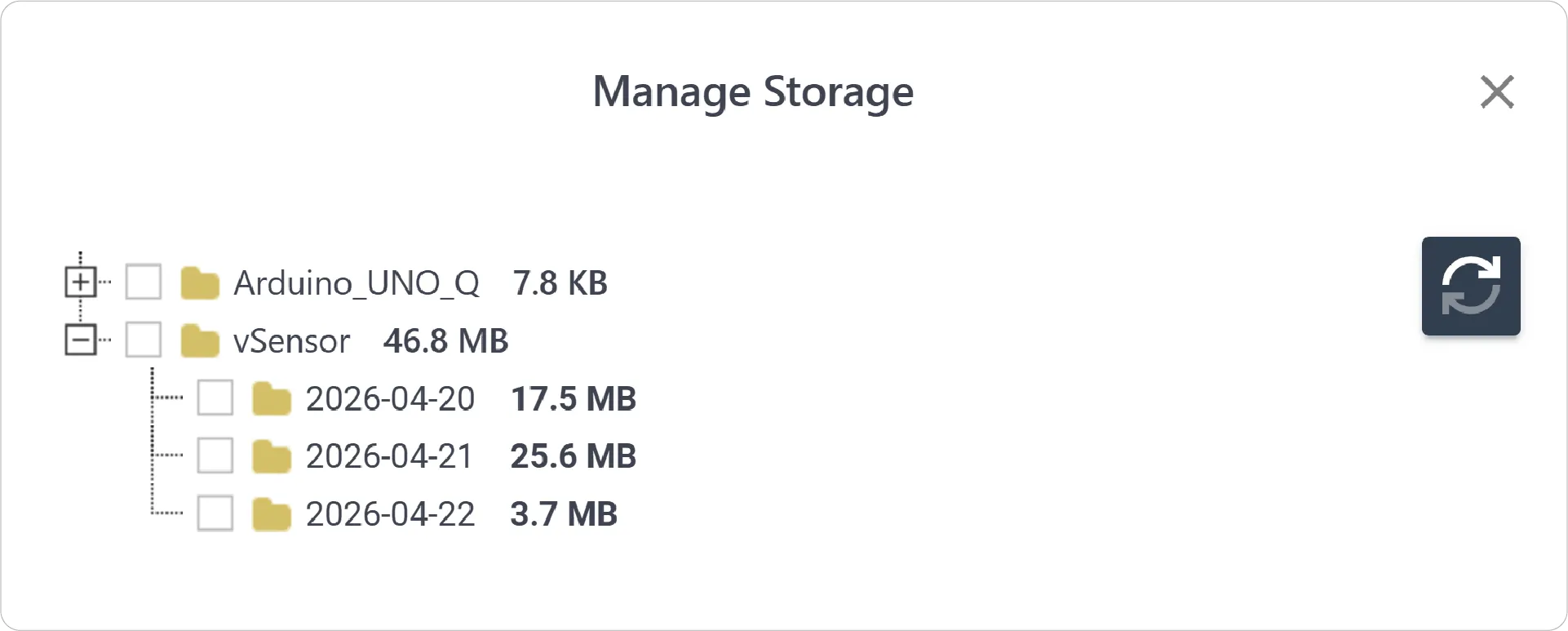
- View Logged Data: The tree view of logged data is organized by device, date, and size.
- Delete Device/Data: Select to delete any device or data on specific date
Important
Deleting data for a given date removes data from all metrics of that device for that day.
Data Storage Configuration
Tailor storage behavior to your application needs by defining how incoming data is stored and retained.
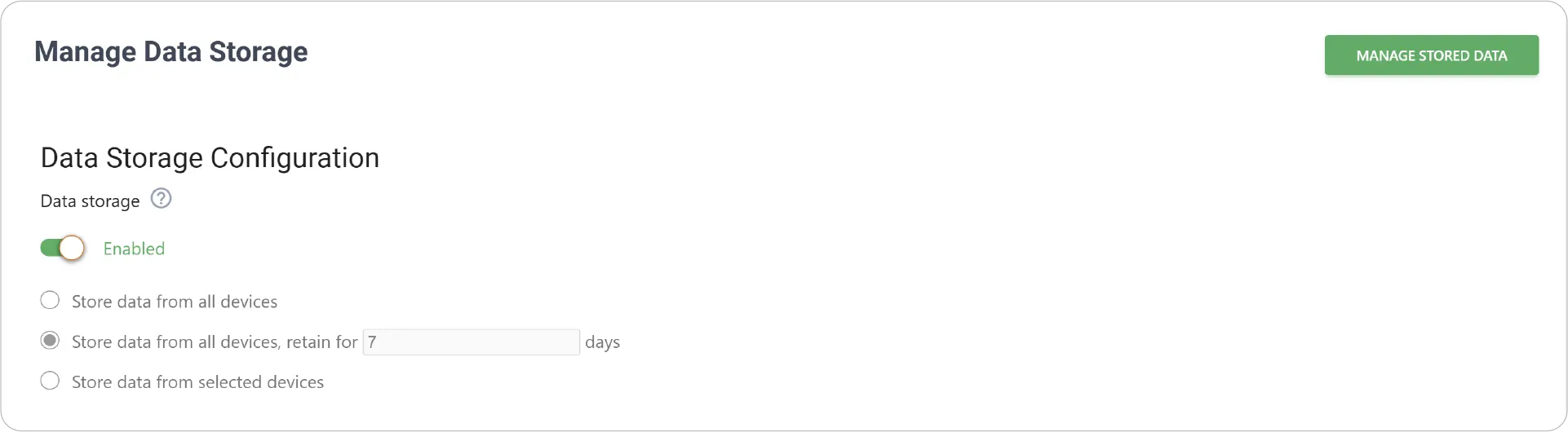
Enable/Disable:
- Enabled: Incoming device data is saved to local storage for historical queries and reporting
- Disabled: Stops storing new data, allowing you to safely configure or adjust storage policies
Storage Policies:
- Store data from all devices: Stores incoming data from every connected device without any retention limits.
- Store data from all devices, retain for a specified number of days: Data older than the specified number of days is deleted, helping you manage disk space without manual intervention.
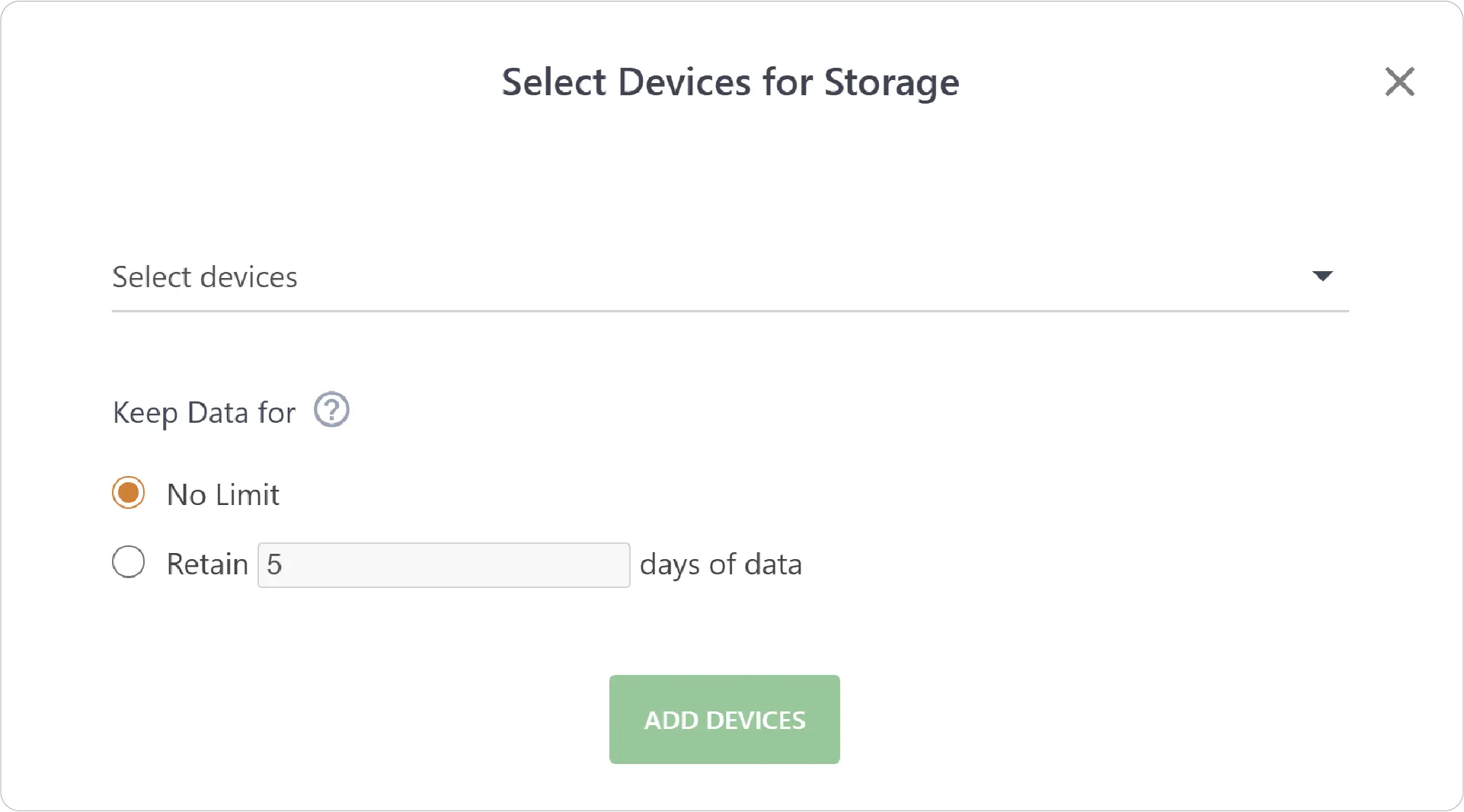
- Store data from selected devices: Choose exactly which devices to store data from and how long to retain it for each one.
Advanced Settings
Fine-tune how data is written, validated, and optimized for performance.
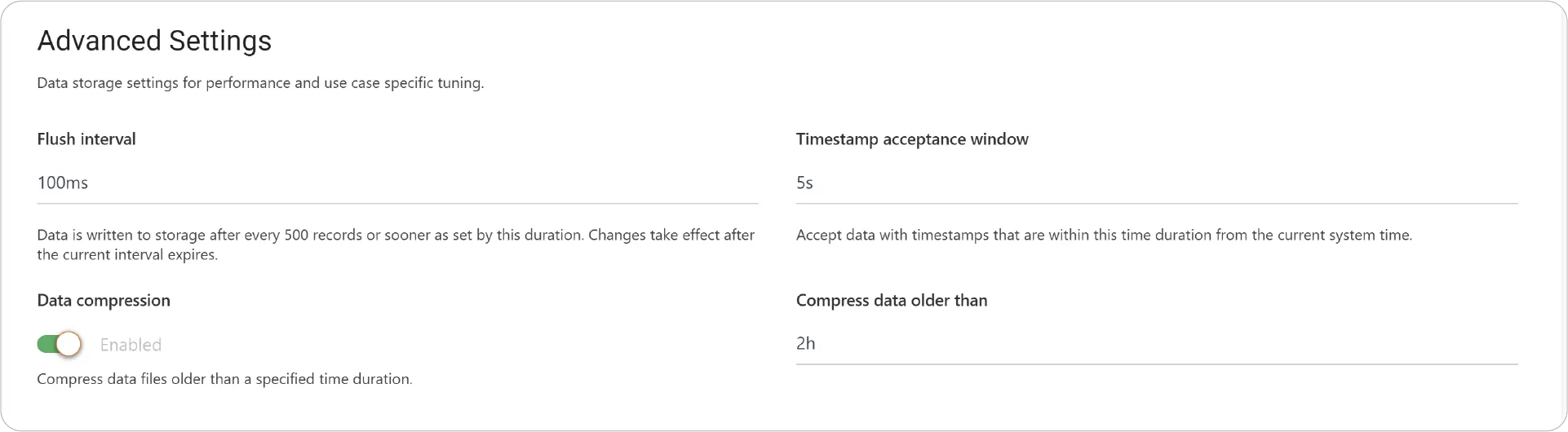
- Flush Interval: Data is written to storage after every 500 records or sooner based on the configured duration. Changes apply after the current interval completes.
- Timestamp Acceptance Window: Accepts incoming data only if its timestamp falls within a defined range from the system’s current time—helpful for filtering out stale or invalid data.
- Data Compression: Enable to compress stored data to reduce disk usage.
- Compress Data Older Than: Define the time threshold after which older data is automatically compressed.
Exclude Devices
Select the devices to exclude from storing to prevent unnecessary data accumulation from non-critical or test devices.

Key Considerations for Data Storage Management
-
Storage Planning
Factor in the frequency of your data, the number of metrics, and desired retention periods when configuring your storage policies.
-
Regular Review
Periodically review your stored data and adjust retention settings to optimize disk space and align with your analysis needs.
-
Start Conservatively
Begin with shorter retention periods and expand as you understand your storage needs.
-
Prioritize Critical Devices
Apply longer retention policies to the most valuable or analysis-intensive data.
With JEDI’s Data Storage Management, you’re not just collecting data—you’re shaping it into a reliable, efficient, and scalable resource for insights!
Explore Device Management and unlock even deeper control over your IoT ecosystem.
Need help?
Contact our support team support@machinechat.io