IsAlive Action
IsAlive is a watchdog action that monitors whether devices continue sending data within an expected time window. If one or more monitored metrics stop reporting, JEDI sends a notification through the configured delivery channels.
Note
The IsAlive action is available only for Schedule-based rules.
Creating an IsAlive Action
Create Rule
- Go to Settings Rules.
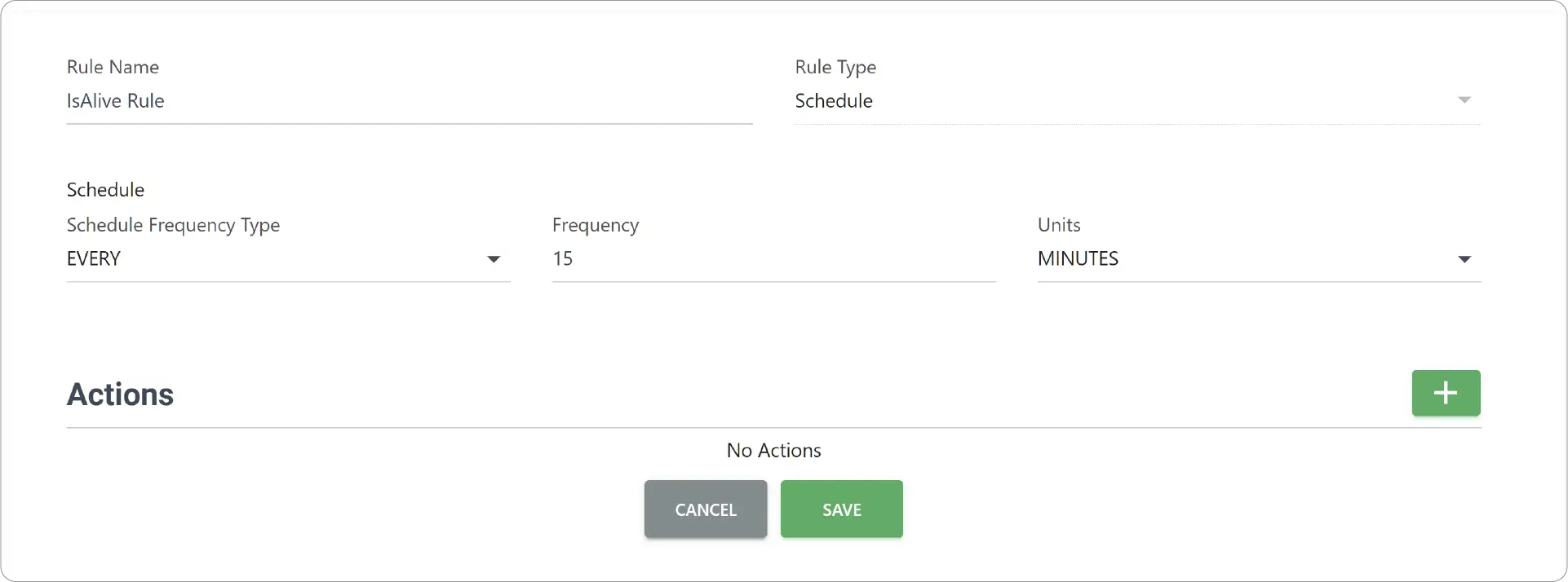
- Enter Rule Name and choose Rule Type as Schedule.
- Configure your schedule settings.
Add Action
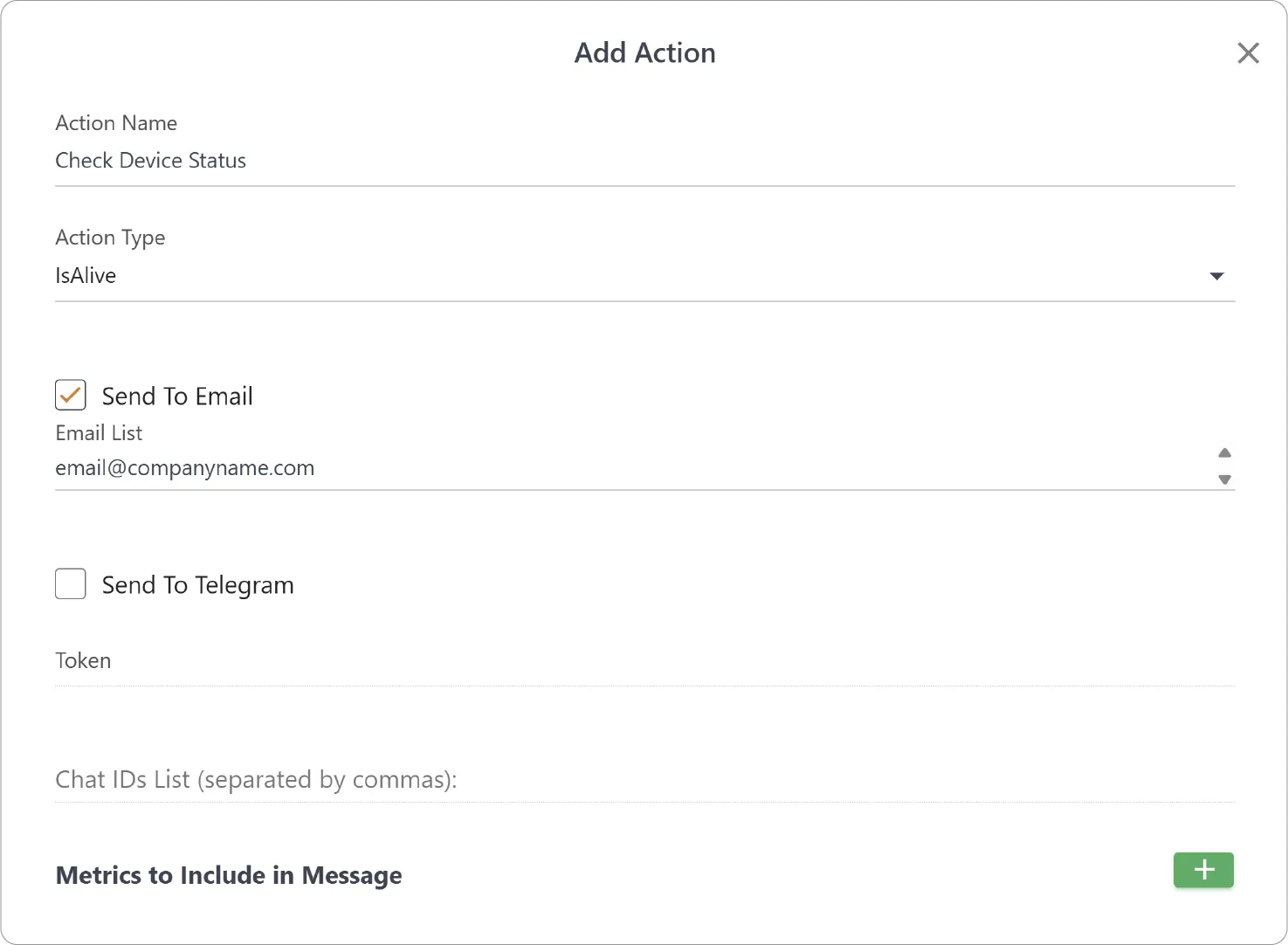
- Under Actions, click Add Action (+) and enter Action Name.
- Set Action Type to IsAlive.
- Enter the following details:
- Send to Email: Enable and provide comma-separated Email List of recipients to send email notifications.
- Send to Telegram: Enable and provide Token and comma-separated Chat IDs List to send Telegram notifications.
Add Metric
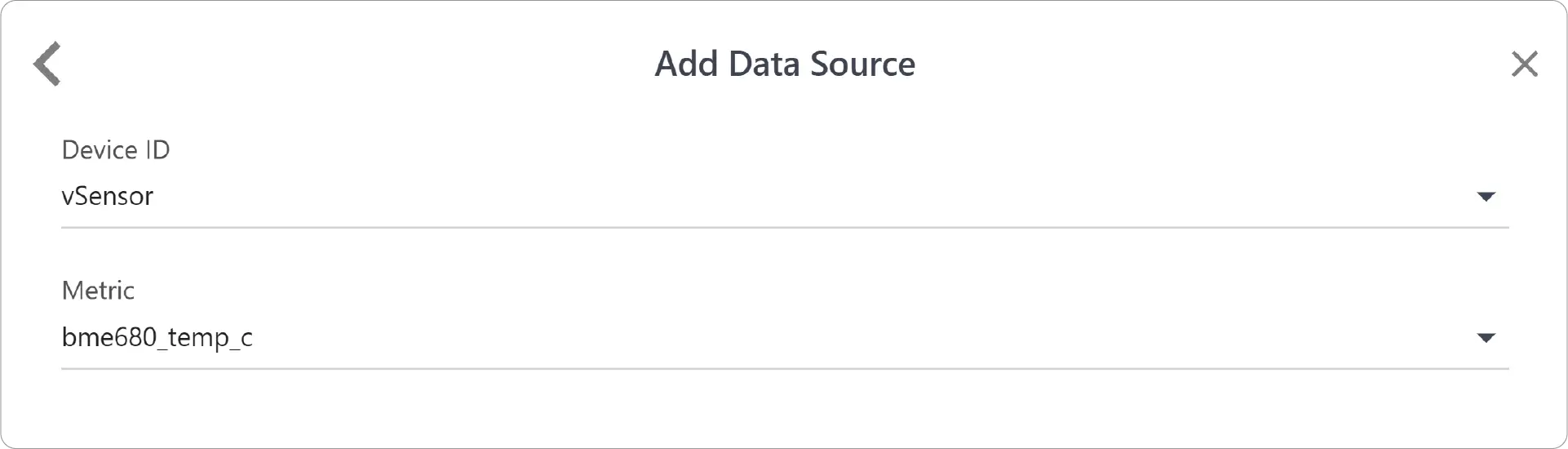
- In Metrics to Include in Message section, click Add Metric (+) to add data sources.
- Choose Device ID and the Metric.
- Add any other relevant Metrics.
- Add the Action and Save the Rule.
Use Cases
The IsAlive action is useful for monitoring the health of connected devices and data collection.
Common applications include:
- Detecting offline sensors.
- Monitoring remote gateways or edge devices.
- Verifying that PLCs and industrial equipment continue reporting data.
- Detecting communication failures between devices and JEDI.
- Monitoring environmental sensors where missing data requires attention.
Need help?
Contact our support team support@machinechat.io