License Management Overview
Machinechat JEDI uses a licensing system to manage the editions, features, and usage limits of your installation. Understanding JEDI's licensing ensures you're making the most of the software and operating within its intended boundaries.
Why Licensing Matters
Licensing helps you get the most out of JEDI while maintaining flexibility and control over your deployment. Licensing ensures:
- Software Protection: Licensing helps protect Machinechat's intellectual property and development investment.
- Tiered Features: Licensing unlocks the full capabilities of JEDI One and Pro editions, allowing you to scale as needed.
- Focused Usage: Licenses are tied to specific machine installations, ensuring fair use and preventing unauthorized distribution.
JEDI License Types
- JEDI One: A single-user license designed for small-scale deployments, supporting up to 10 devices and 10 dashboards with all core features included.
- JEDI Pro: A multi-user license built for professional and commercial use, with 3 user accounts included. It supports up to 200 devices and 200 dashboards (subject to hardware limitations), along with advanced capabilities such as custom branding and feature license management.
Activating Your License
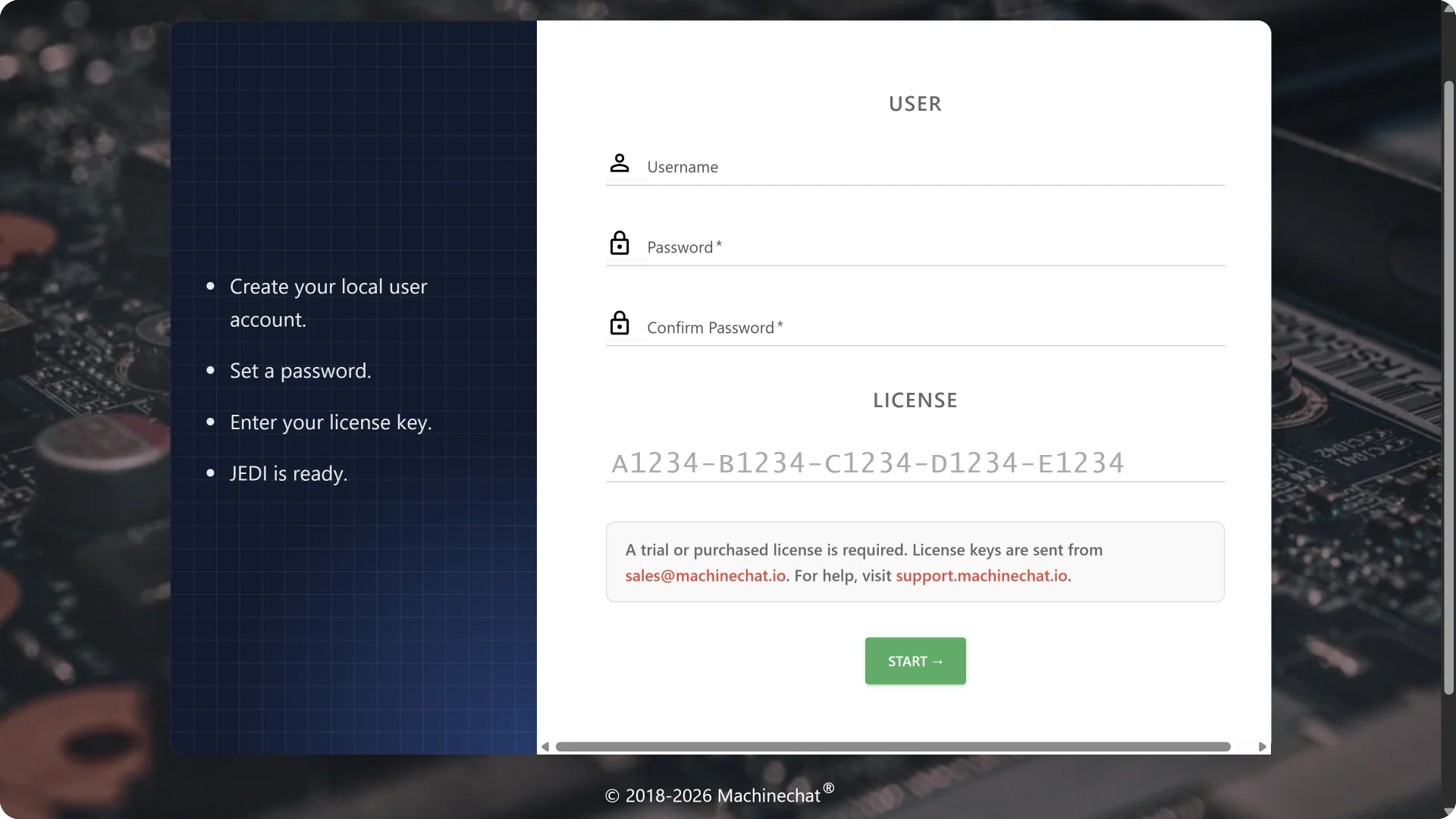
- Receive Your License Key: After downloading JEDI, your license key is sent to your registered email address.
- Enter License Key: During the first startup and signup process, you will be prompted to enter the license key to activate your instance.
Note
- License activation requires a one-time internet connection to Machinechat's license servers.
- Generates an anonymous hardware signature to ensure the license is used on the intended machine.
View and Manage Licenses
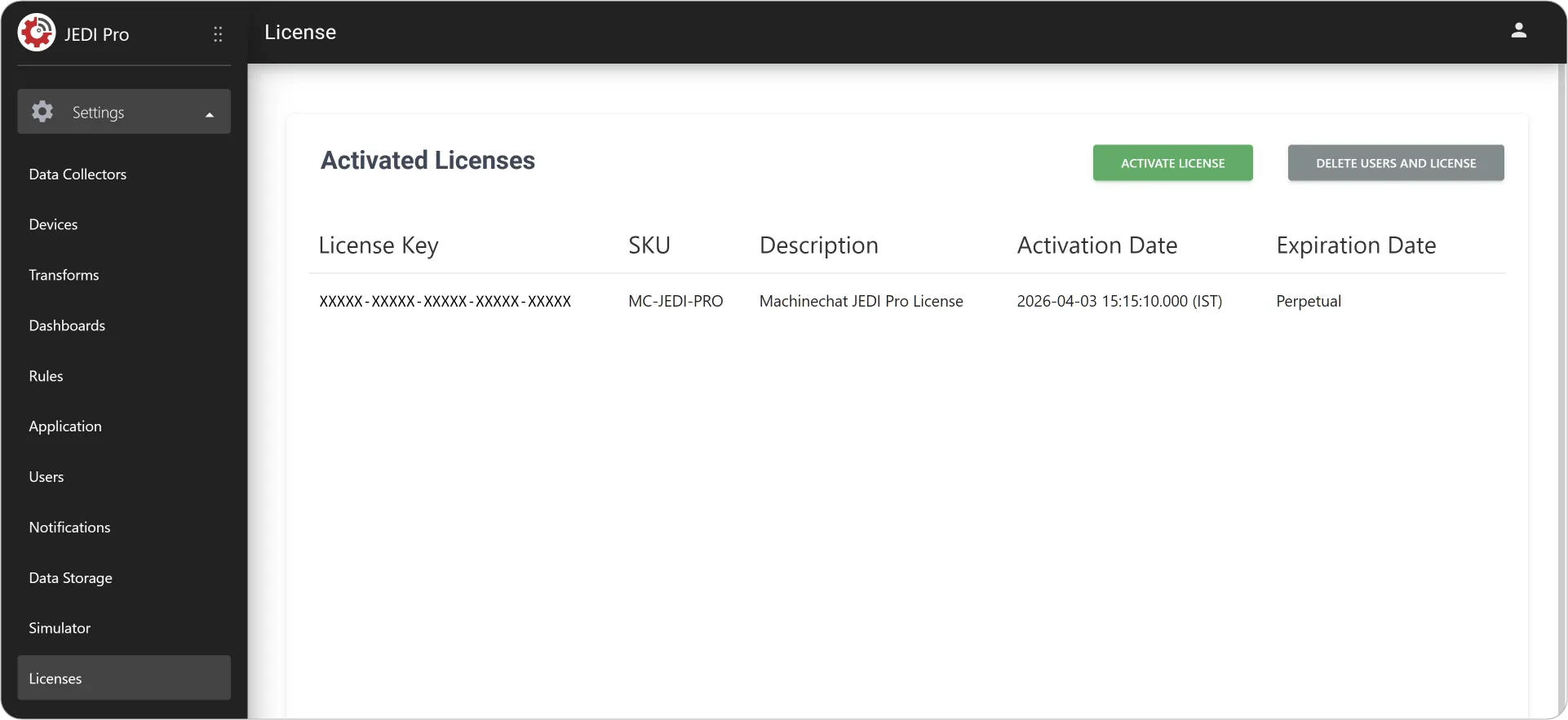
To view and manage your license details:
- Go to Settings Licenses.
How License Activation Works
When you enter your license key:
- Internet Connection: JEDI connects securely to the license server
- Validation: Your license key and system hardware signature are validated
- Activation: Upon successful validation, your license is activated. The corresponding features, user limits, and device capacity are unlocked
Important
- Offline Activation: If your machine cannot connect to the internet, please contact support for alternative activation methods.
- Firewalls/Proxies: Corporate firewalls or proxy servers may need specific configuration. Contact support@machinechat.io for assistance.
- Proxy Configuration: JEDI supports configuration for proxy servers.
- No Ongoing Connection Required: Once activated, JEDI does not need a persistent connection to license servers.
Need Help or Want to Upgrade?
- Support: Contact our support team support@machinechat.io for licensing questions or assistance.
- Upgrades: Visit the Machinechat website to explore upgrade options and pricing.